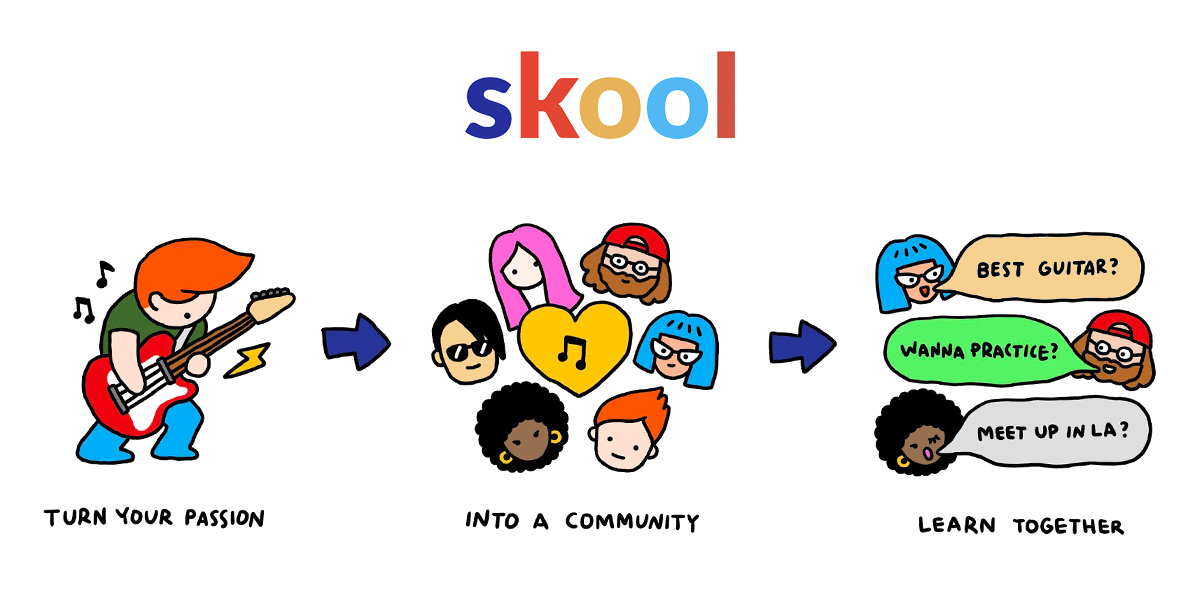
Short answer: one group holds the course, the conversation, and the calendar
Skool is a community platform where one group holds four things: a discussion feed, a Classroom for courses, a calendar for events, and a points-and-levels system that rewards members for taking part. For a course creator that matters because the usual problem is not making the course — it is that the course lives in one tool, the students talk in another, and the live calls happen in a third. Skool's about page says you can set a group up in under 30 minutes with no integrations needed, because it is an all-in-one platform. That is the maker's claim, and the rest of this article is what that looks like in practice.
How we wrote this: we have not hands-on tested Skool with a paid account. The features below come from Skool's official about page, pricing page, and help center, as checked on October 30, 2026, and we say so wherever a claim is the maker's rather than our own finding. This is general information only, not business advice, and no platform can guarantee you will make money from a course or a community.
Try Skool free for 14 days and build your first group
How the four pieces work together
Short answer: the feed is where members talk, the Classroom is where they learn, the calendar is where they meet live, and levels are what keep them coming back.
A member joins your group and lands in the Community feed — posts, comments, and likes, organised into categories you set. When they are ready to learn, they open the Classroom tab, where your courses sit in folders and pages. When a live call is due, it is on the Calendar, in the same group. And every like a member earns becomes a point, points become levels, and levels can unlock more of the course. The loop is the product: people post, they level up, they unlock the next lesson, and they post about it. Nothing here is a separate login or a separate bill — it is one group, and that is the whole idea.
Classroom: where the course actually lives
Short answer: courses are folders of pages, pages hold video and text, and you control who sees each course four different ways.
According to Skool's help center, the Classroom is where you organise guides, instructions, courses, resources, and templates for your community. A course starts as a blank page you can turn into a document, a lesson, or a resource. You write in a visual editor, add videos to turn pages into lessons, attach resource files such as spreadsheets or PDFs, and add transcripts that make the video searchable inside the group. Pages go into folders, so a course reads as modules and lessons, and you can drag and drop pages to reorder them.

Access is where the Classroom earns its keep. Skool's help center lists four ways to gate a course: open to all members, unlock at a level, buy now for a one-time price, or unlock after a set number of days since joining — a drip. Private courses can also be limited to members you choose, including by membership tier. So a free starter course, a paid advanced course, and a bonus module that unlocks at Level 3 can all live in the same Classroom without separate funnels.

Gamification: the engine that keeps members posting
Short answer: one like equals one point, points raise levels from 1 to 9, and levels unlock courses — so participation itself becomes the way members earn more content.
The rule is simple, and Skool's help center states it plainly: members earn points when other members like their posts, comments, and replies, at 1 like = 1 point for the author. Points add up to levels, and the thresholds climb steeply — Level 2 takes 5 points, Level 3 takes 20, Level 4 takes 65, Level 5 takes 155, Level 6 takes 515, Level 7 takes 2,015, Level 8 takes 8,015, and Level 9 takes 33,015. A member's level shows next to their name and on their profile, and each group has its own leaderboard, so the most helpful members are visible to everyone.
For a course creator, the useful part is the lock. Set a course to unlock at a level and members have to take part to reach it — post an introduction, answer a question, share a result — instead of silently watching videos. Levels are per group, so a member who joins a second group starts at Level 1 there. That keeps the game honest inside each community you run.

Discovery: how new members find you
Short answer: Discovery is Skool's public directory of communities, and listing yours there is how strangers become members.
Skool's homepage is the Discovery directory — a browsable list of communities, free and paid, across every topic from AI and trading to fitness and guitar. Anyone can browse it, read a community's about page, and join or subscribe on the spot. For a creator that means your group is not hidden behind your own audience alone: if your topic is something people search for, Discovery puts your community in front of them. Your about page is your pitch — what members get, what it costs, and why they should join — so write it like a landing page, because for Discovery visitors that is exactly what it is.
Set up your Skool group and list it on Discovery
What to set up first
Short answer: name it, write the Start Here course, set the categories, schedule the first live call, then invite your first ten members.
- Name and about page. Say who the group is for and what members get, in plain words. This page is what Discovery visitors read before they join.
- A Start Here course. One short course in the Classroom: how the group works, where things live, how levels unlock content, and what to do first. New members should finish it on day one.
- Feed categories. A handful of categories — introductions, questions, wins, resources — so posts land somewhere findable instead of one long pile.
- The first live event. Put a call on the Calendar in week one, even a short one. A live call gives members a reason to come back, and it gives you faces to recognise.
- Your first members. Invite people you already know — past students, email list, social followers — and ask each of them to post an introduction. A group with ten introductions looks alive; an empty group does not.
Who it fits — and who should skip it
Short answer: it fits coaches and creators whose offer is a group. It does not fit anyone who only needs a course host or only needs a free chat group.
It fits if: you sell a monthly membership, you teach in cohorts or with weekly calls, and you want the course and the community in one place without wiring tools together. Coaches, course creators, and paid community builders are the people Skool is built for, according to its own about page.
Skip it, or wait, if: you only need to host videos with no community around them — a plain course host is simpler and cheaper. Skip it too if you only need a free chat group, because Skool has no free plan after the 14-day trial. And if your business needs funnels, email automation, or 1:1 booking built into the same tool, check carefully before you commit — Skool keeps its toolset deliberately small, and those jobs may still need another tool. For the repetitive admin around a community, such as welcome emails and onboarding, see our Make review — automation pairs well with a group like this.
Pricing in one paragraph
Short answer: $9 a month for Hobby, $99 a month for Pro, both with a 14-day free trial, and the only difference is the transaction fee — 10% on Hobby, 2.9% on Pro. Pay yearly and you get 2 months free. Both plans include unlimited members, courses, videos, and live calls, plus a custom URL and affiliates. Check the current numbers on Skool's official pricing page before you decide, because prices and fees can change.
Frequently asked questions
Can I host courses and a community in the same Skool group?
Yes. That is the point of the platform: the Classroom holds your courses, the Community feed holds the discussion, and the Calendar holds live events, all inside one group with one member list.
How does Skool gamification work?
Members earn 1 point for every like their posts, comments, or replies receive. Points raise levels from 1 to 9, levels show next to a member's name, and admins can lock courses so they unlock only at a certain level.
Can I charge for my community?
Yes. Skool's about page says you can charge subscription memberships or one-time course purchases. The platform takes a transaction fee — 10% on Hobby, 2.9% on Pro — as listed on its pricing page.
Do I need other tools with Skool?
According to Skool, no: it describes itself as an all-in-one platform that needs no integrations to work. In practice, creators who want email funnels, 1:1 booking, or advanced automation may still use other tools alongside it.
Action: should a course creator try it?
If your offer is a group — a course plus a community that meets live and talks every day — Skool is one of the simplest ways to run it, because the course, the conversation, and the calendar share one roof and one member list. Start with the 14-day trial, build the Start Here course, run one live call, and see whether members post without being chased.
If you only need somewhere to host videos, or you are not ready to run a community at all, do not pay for one. Build the course first, gather the audience, and come back to Skool when the group is the product — not before.
Start your Skool group with the 14-day free trial
Disclosure: links in this article are affiliate links. If you sign up through them, we may earn a commission at no extra cost to you.