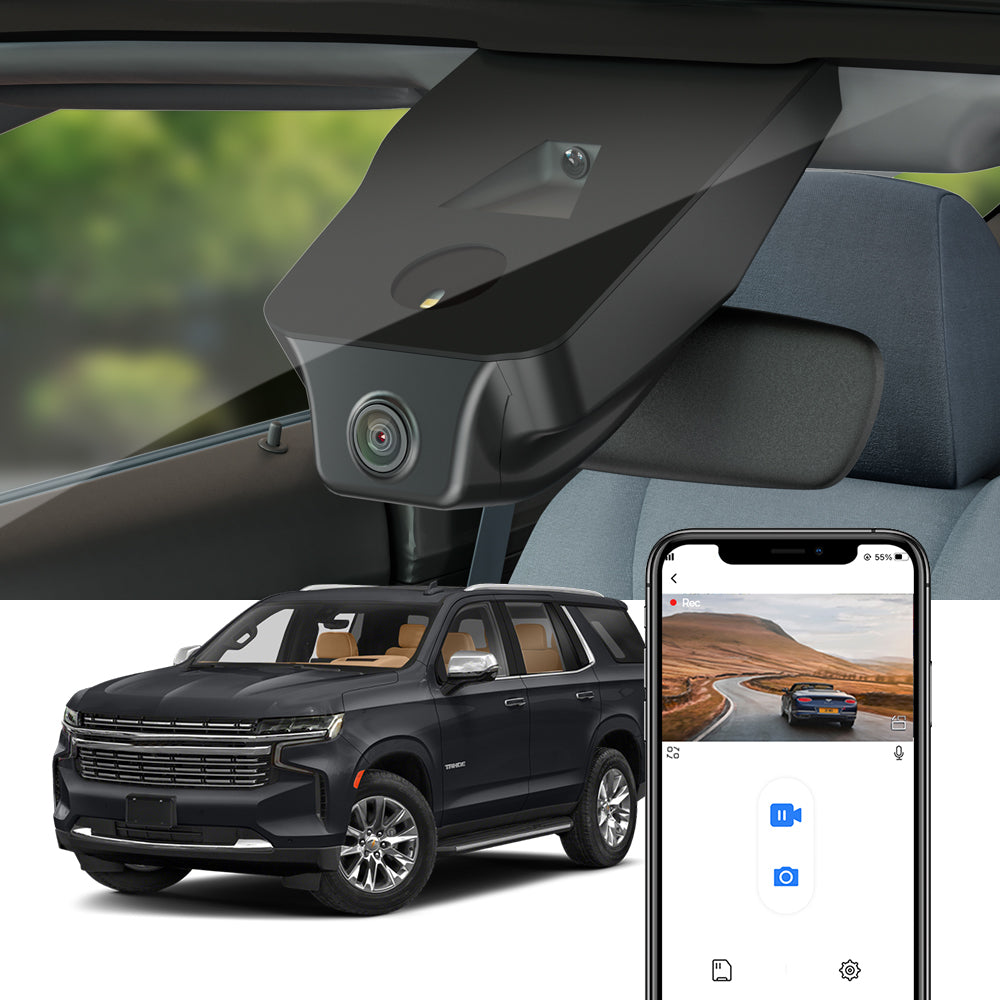
Short answer: yes, you can fit it yourself — it is a cover swap, not wiring work
Can you install a Fitcamx dash cam yourself? Yes — according to the maker, most people finish in 10–20 minutes, and the job is swapping the plastic cover behind your rearview mirror and plugging in a cable, not cutting or splicing wires. You do not remove the A-pillar, touch the fuse box, or run a cable to the cigarette lighter socket.
That is the honest summary. The rest of this article walks through what each step actually involves, what comes in the box, and the mistakes that cause most failed installs — because the fitting is easy only when you order the right model for your car.
A note on how we wrote this: we have not hands-on tested Fitcamx. The description below comes from the maker's official site and its installation guides, and we say so wherever a claim is the maker's rather than our own finding. Links to the official Fitcamx site in this article are affiliate links.
See the official Fitcamx installation guide and model list
How the fitting works, step by step
The maker's installation guide describes the same basic job for most models, in six steps.
1. Take the mirror cover off
The plastic cover behind the rearview mirror is usually held by clips, not screws. According to the maker's guide, you push it forward and it comes off. The pry tool in the box helps release the clips without marking the trim.
2. Unplug the mirror's power connector
With the cover off, you can see the mirror's wiring harness. Unplug the power connector — on most models this is the connector for the auto-dimming mirror, a rain sensor, or the overhead console, depending on the car.

3. Plug in the Y-cable
The Y-cable in the box sits between the car's original connector and the camera: one end goes to the car's power connector, the other to the dash cam. No wires are cut. If a plug will not connect, the maker's guide says to stop — you may have the wrong model or the wrong port, and forcing it is how connectors get damaged.
4. Clip the camera housing into place
The Fitcamx unit replaces the original mirror cover. Push it into position until it clicks. On some models the guide asks you to move small clips from the old cover to the new housing first — check the manual in your box for your model.
5. Refit the cover and tidy the wires
Push the cover back into place and tuck any slack behind it so nothing is pinched. When it is done right, nothing is visible except the lens.

6. Insert the memory card and start the engine
Put the SD card in, then start the engine — the camera starts recording automatically. One warning from the maker's guide matters here: shut the engine off while you install, or the car may raise an alarm or a fault report.
What is in the box
The exact contents vary by model, but the maker's listing for a typical front-camera package includes the front camera, a 64GB micro SD card, the Y-cable, a plastic pry tool, a memory card reader, and the user manual. Dual-camera packages add the rear camera and its cable. If a tool is needed for your model, the maker says it is in the package — you should not need to buy tools for the job.
How long it takes
Short answer: the maker says 10–20 minutes for most people, and that customers with no experience working on cars can do it. That matches the design — there is no cable routing, no fuse box, and no trim removal beyond the mirror cover itself. Allow more time the first time you do it, and more again if you are also fitting the rear camera, which needs its cable routed to the back of the car.
Where the power comes from
Short answer: from the mirror area, not from the fuse box. Which connector depends on the car: the maker's listings show power from the auto-dimming rearview mirror on some models, from the rain sensor on others, and from the overhead console panel on others still. The camera powers on and off with the car, so there is nothing to switch on each drive.
One thing this does not give you is parking mode. According to the maker's product pages, parking mode requires a separate hardwire kit connected to the fuse box — and even then, the camera records only when a collision happens, not continuously.
Fitment: the step to get right before you order
Short answer: pick the exact make, model, and year — and confirm the mirror cover. Fitcamx cameras are built for one car, and the maker's own guide is blunt about it: buy the wrong type and it cannot be installed. Even one car can need different variants — the maker's Tahoe listing, for example, shows three model codes for the same vehicle, because mirror covers differ.
The maker asks buyers for a photo of the rear mirror cover after purchase, and warns that without one, shipping may be delayed or the wrong model may be sent. Send that photo. It is the cheapest insurance against a fitting that does not fit.
Check the model for your exact car on the official Fitcamx site
Common mistakes to avoid
- Ordering the wrong model. This is the mistake the maker warns about most. Confirm the year, model, and mirror cover shape — and send the cover photo the maker asks for.
- Installing with the engine running. The maker's guide says to shut the engine off, or the car may raise an alarm or a fault report.
- Forcing a connector. If a plug will not fit, stop. It is the wrong model or the wrong port, and forcing it damages the connector.
- Forgetting the memory card. The camera has nothing to record to without it — put the card in before you start the engine.
- Trapping wires. Tuck the slack behind the cover so nothing is pinched when the housing clicks shut.
- Skipping the app setup. Download the maker's app and pair the camera over Wi-Fi so you can check the picture and download clips without removing the card.
What about the rear camera?
Short answer: it plugs into the front camera and needs no power of its own. On dual-camera models the rear camera connects to the front unit by cable and mounts on the rear windshield — or facing the cabin, if you would rather record the interior. It cannot be added separately later, so decide before you buy whether you want the dual-camera version.
Frequently asked questions
Do I need any tools to install a Fitcamx?
No tools to buy, according to the maker — a plastic pry tool is in the box, and any tool your model needs is included. The only job is removing a clip-on cover and plugging in the Y-cable.
How long does a Fitcamx installation take?
The maker says 10–20 minutes for most people, and that no car experience is needed. Allow extra time if you are also fitting the rear camera, because its cable has to be routed to the back of the car.
Do I have to cut or splice any wires?
No. The Y-cable plugs into the car's existing mirror power connector and the camera, so the car's wiring stays untouched. Parking mode is the exception — it needs a separate hardwire kit connected to the fuse box.
What happens if I order the wrong model?
The camera may not fit at all — the maker says plainly that the wrong type cannot be installed. Check the exact year, make, and model before ordering, and send the photo of your mirror cover that the maker asks for.
Final verdict
Fitting a Fitcamx yourself is a realistic DIY job: a cover swap, one plug-in cable, and a memory card, done in about 10–20 minutes if the model matches your car. The work itself is not the risk — ordering the wrong model is. Get the fitment right first, follow the manual in the box, and the install is the easy part.
For the full picture of what the camera does once it is in, read our full Fitcamx review.
Visit the official Fitcamx site to find your car's model and installation guide